AULA F99 tri-mode wireless mechanical keyboard with 96% layout: A Full Review
Quick Take
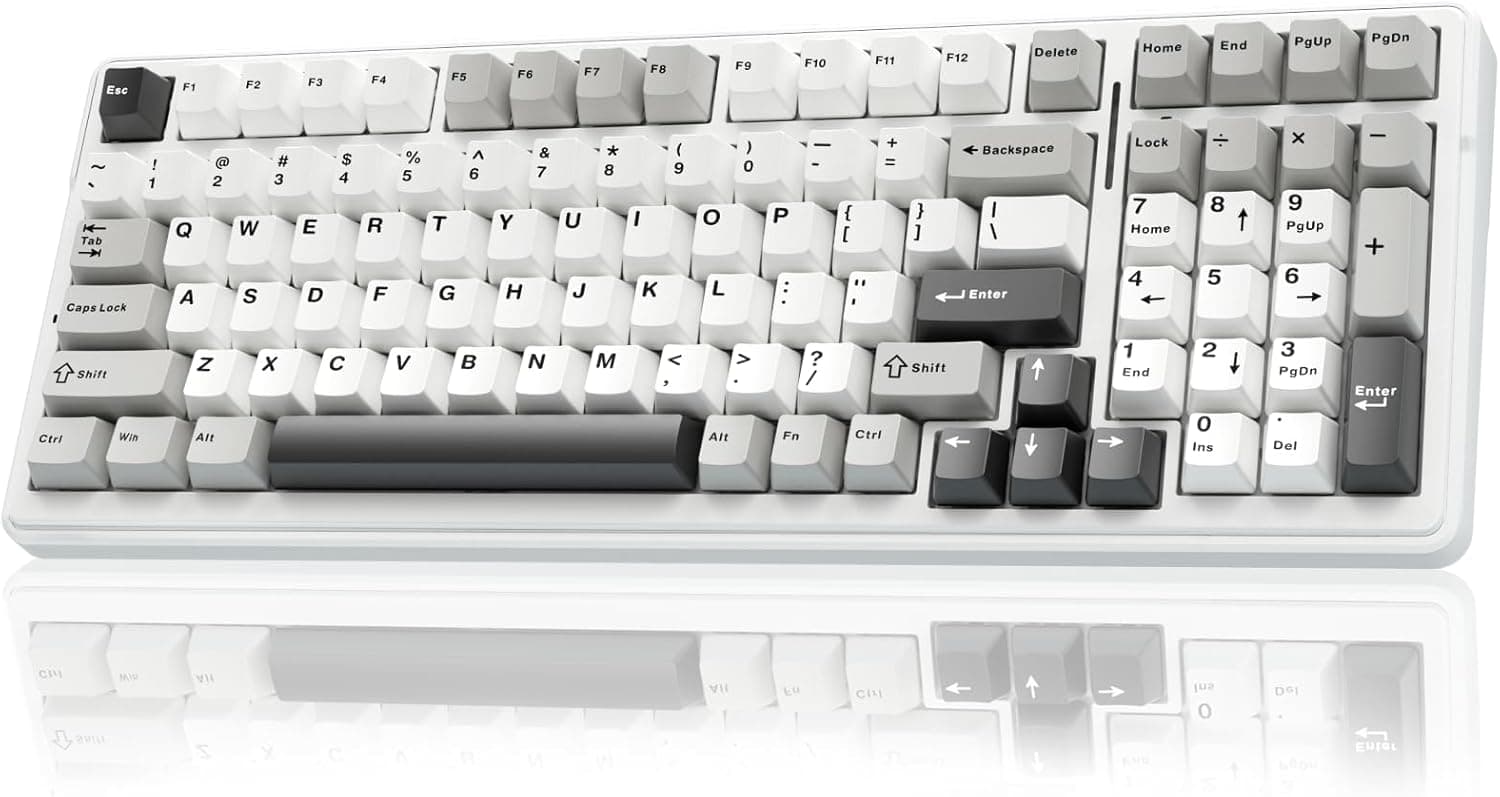
On my desk, the F99 takes up noticeably less room than a full-size board, but I still get the number pad for spreadsheets and shortcuts. That is the main reason this AULA makes sense to me: it hits a practical middle ground without feeling stripped down. The pre-lubed linear switches are smooth out ...
Current price
$68.99
Our Verdict
Pros
- +smooth pre-lubed linear switches feel good without modding
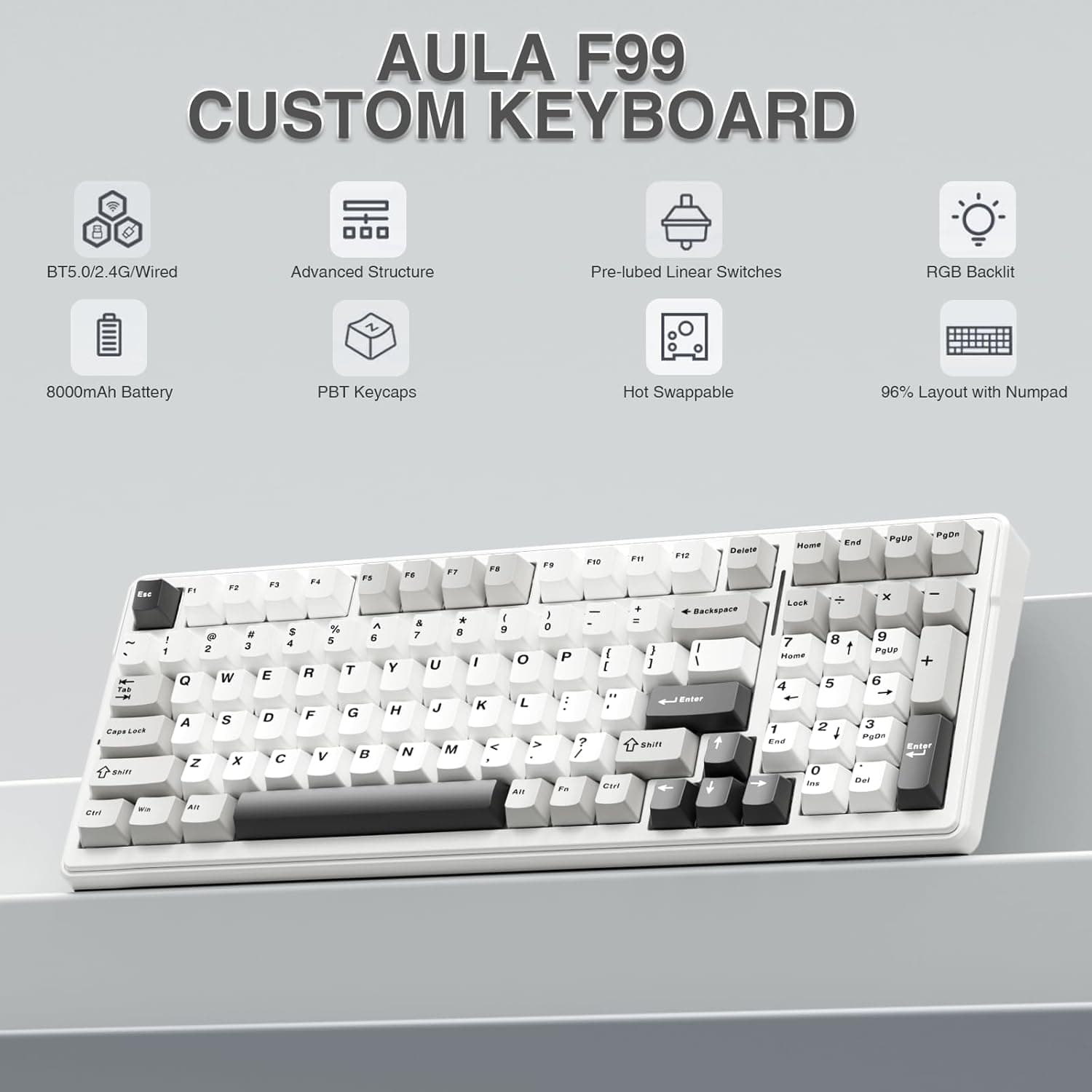
- +96% layout keeps the number pad without eating the whole desk
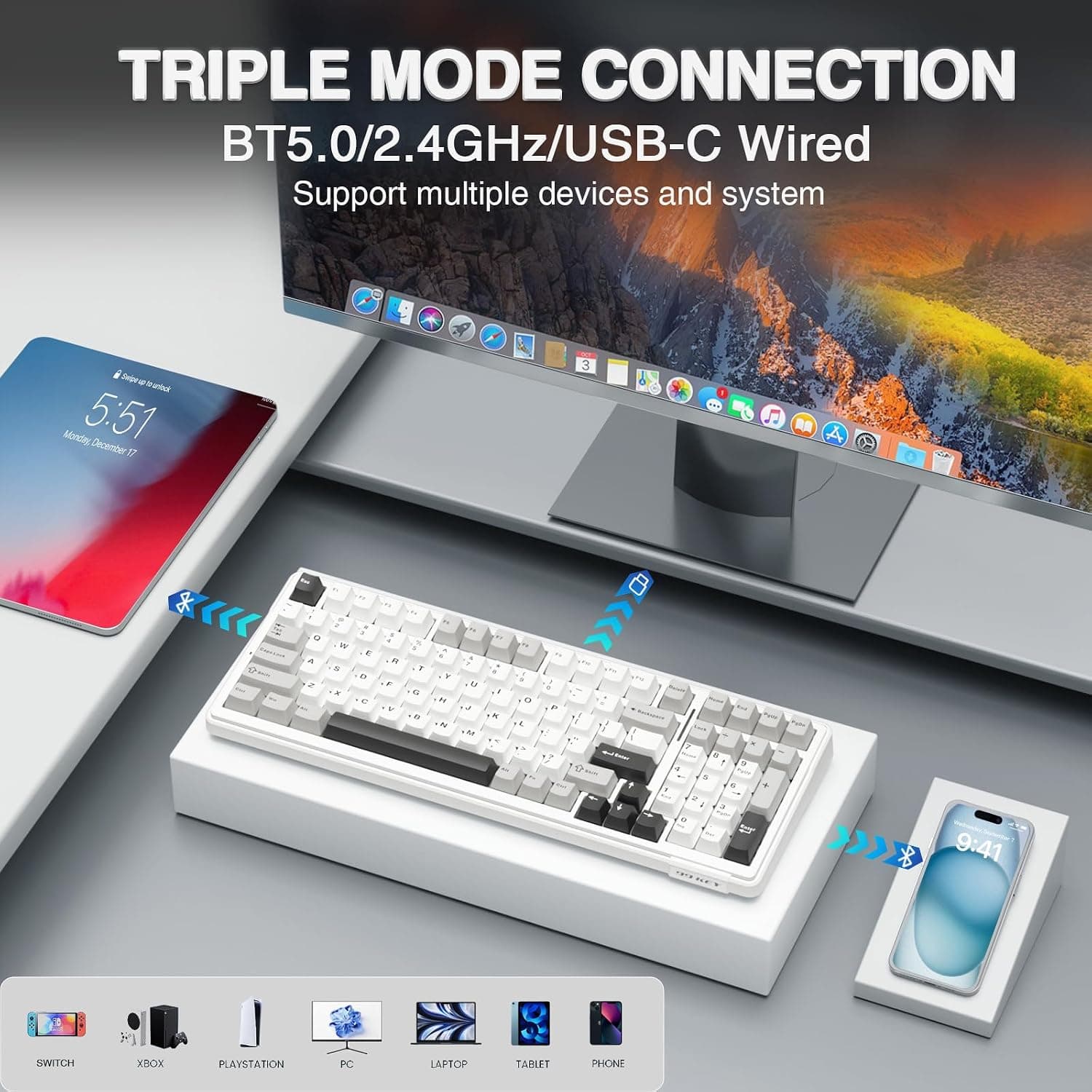
- +tri-mode connection works well for swapping between devices
- +hot-swappable sockets make switch changes easy later
- +large battery lasts a long time if RGB is kept reasonable
Cons
- −software feels clunky and is not as polished as bigger keyboard brands
- −compact key placement takes adjustment if you use navigation keys a lot
- −plastic case is fairly chunky despite the space-saving layout
- −bright RGB can cut into battery life faster than expected
Discover
We test so you don't have to
See our buying guides→In-Depth Review
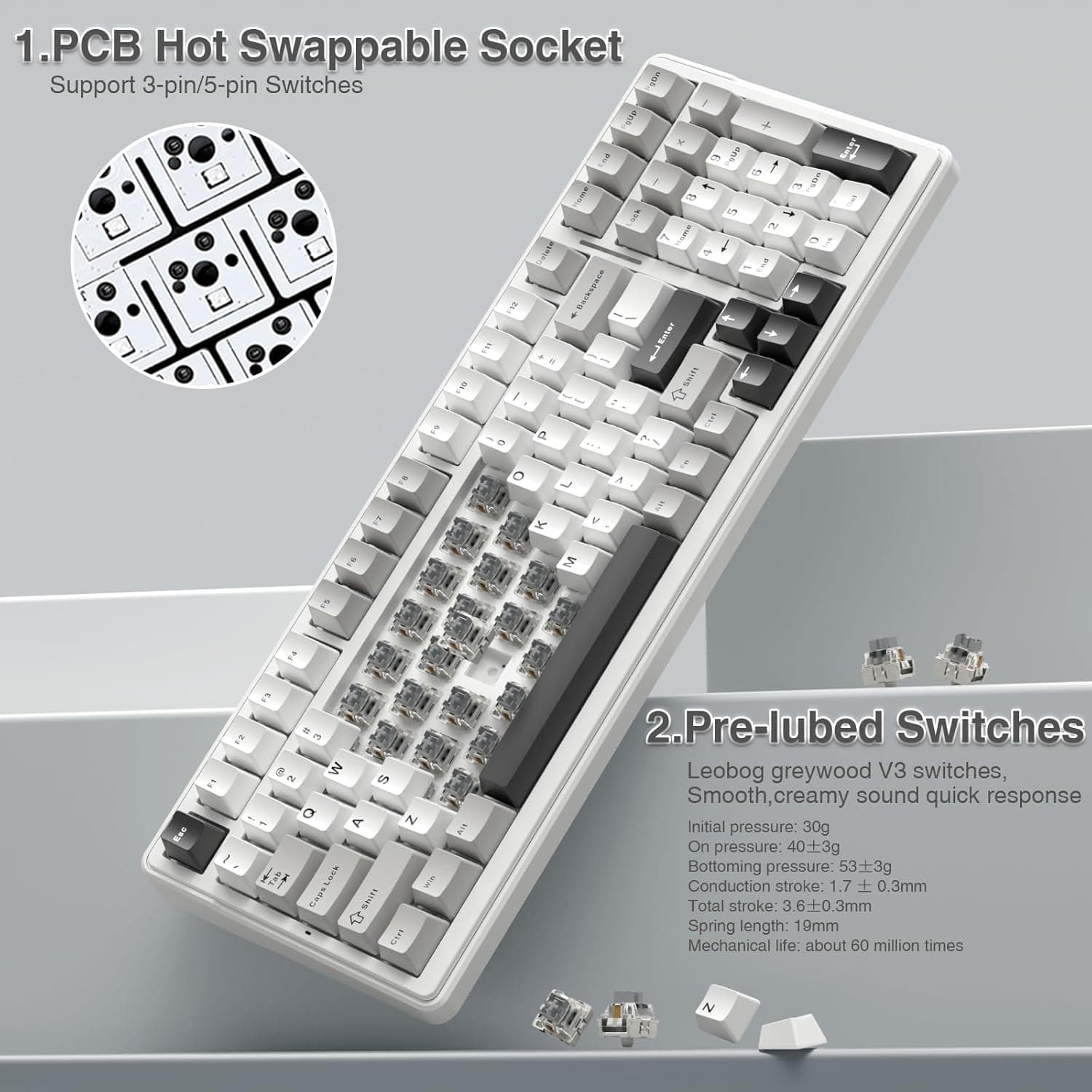
On my desk, the F99 takes up noticeably less room than a full-size board, but I still get the number pad for spreadsheets and shortcuts. That is the main reason this AULA makes sense to me: it hits a practical middle ground without feeling stripped down. The pre-lubed linear switches are smooth out of the box, with a deeper, softer sound than I expected from a keyboard in this price range. It is not silent, but it avoids that hollow plastic clack that cheaper mechanical keyboards often have.
The tri-mode setup is genuinely useful if you bounce between a desktop, laptop, tablet, or console. I mostly use the 2.4GHz dongle at my desk and Bluetooth for a secondary device, and switching is quick once you memorize the key combos. The 8000mAh battery is another strong point; I would still turn RGB down if I were trying to stretch it, but it does not feel like a keyboard that needs constant charging.
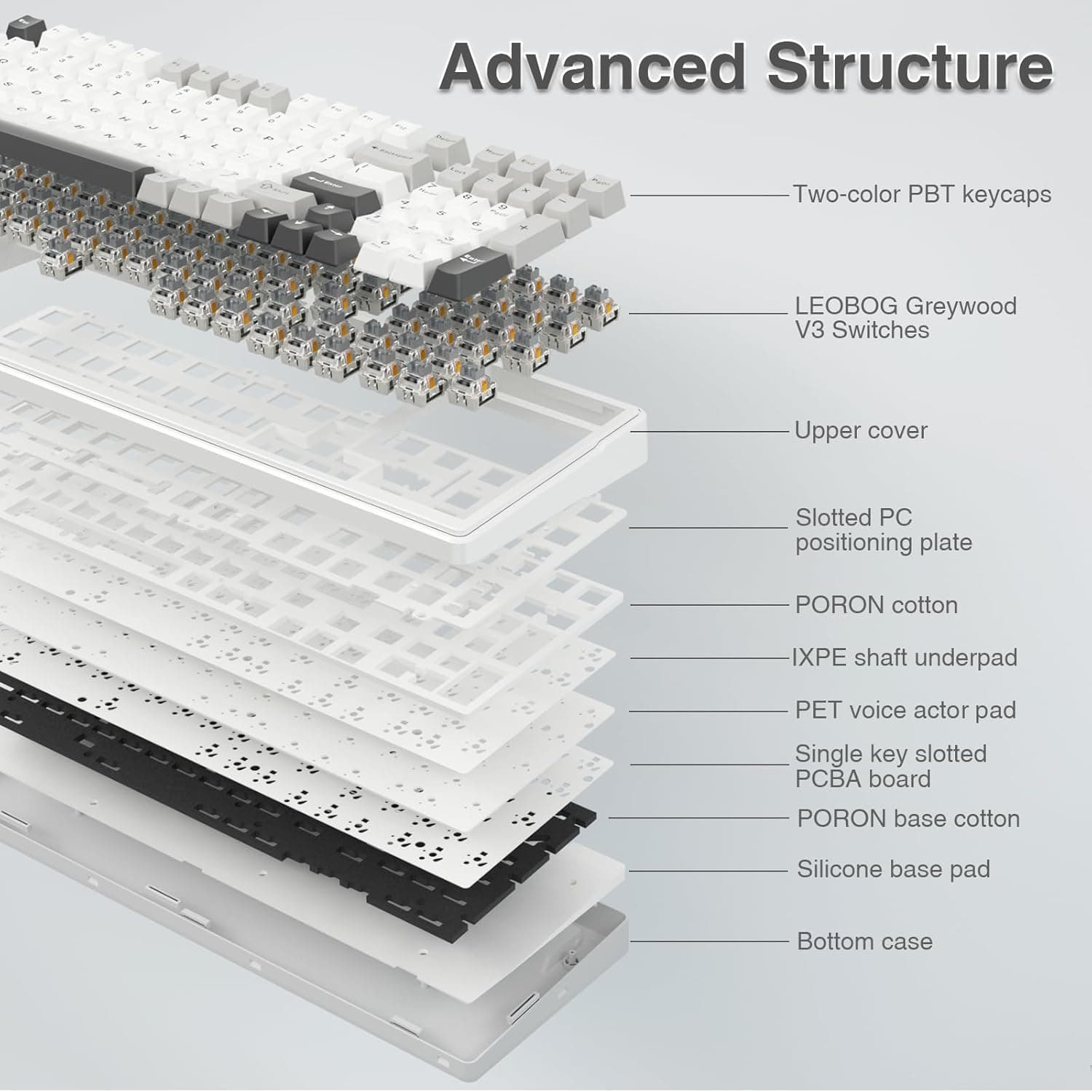
For anyone shopping the best mechanical keyboards under 100 dollars, the F99 belongs on the shortlist because it gives you hot-swap sockets, PBT keycaps, gasket-style cushioning, and a compact 96% layout for well under the usual custom-board price. The catch is that it is still a budget enthusiast board, not a boutique one. The software is not the friendliest, and the layout takes a little retraining. But as a daily typing and gaming keyboard, it gets a lot right for the money.
Product Gallery
Specifications
Specifications
| Feature 1 | Multi-Device Connection: The F99 wireless mechanical keyboard provides three connection methods, including BT5.0, 2.4GHz wireless mode, and USB wired mode. It can be connected to u |
| Feature 2 | Hot-swappable Custom Keyboard: The switches and keycaps can be freely replaced(keycap/switch puller are included in the package).This customizable keyboard with hot-swap PCB allows |
| Feature 3 | Mechanical Gaming Keyboard: F99 is a premium mechanical keyboard for both work and game. With 16 RGB lighting effect to adds a great atmosphere to the game room. Keys support macro |
| Feature 4 | Gasket Structure and PCB Single Key Slotting: This computer keyboard features a advanced structure, extended integrated silicone pad, and PCB single key slotting, better optimizes |
| Feature 5 | PBT Keycaps and 8000mAh Battery: 99 keys 96% layout compact keyboard can save more desktop space while keep necessary arrow keys and number area for games and work. The rechargeabl |
Where to Buy
We recommend checking Amazon for the best current price and availability.
Check Price on Amazon— $68.99→Price Comparison
| Platform | Price | |
|---|---|---|
| AmazonBest Price | $68.99 | Buy on Amazon → |
* As an Amazon Associate, Goodkept earns from qualifying purchases at no extra cost to you.
Frequently Asked Questions
Frequently Asked Questions
New This Week
![Compact Air Negative Anion Generator Ionizer by [Brand]](/_next/image?url=https%3A%2F%2Fcdn.goodkept.com%2Fproducts%2F2318b8fd64053e607558dec2309d45c6.jpg&w=3840&q=75)